Free Chrome extension · No tracking

Auto-refresh a tab.
Or cycle a whole list.

Reload one page on a timer, or step through a list of URLs hands-free. Set an interval, press start, walk away.

Works on Chrome, Edge, Brave & other Chromium browsers
Auto Refresh & URL Rotator — auto-refresh and cycle tabs

See it in action

Two modes, switched at the top of the popup. Same one-click simplicity.

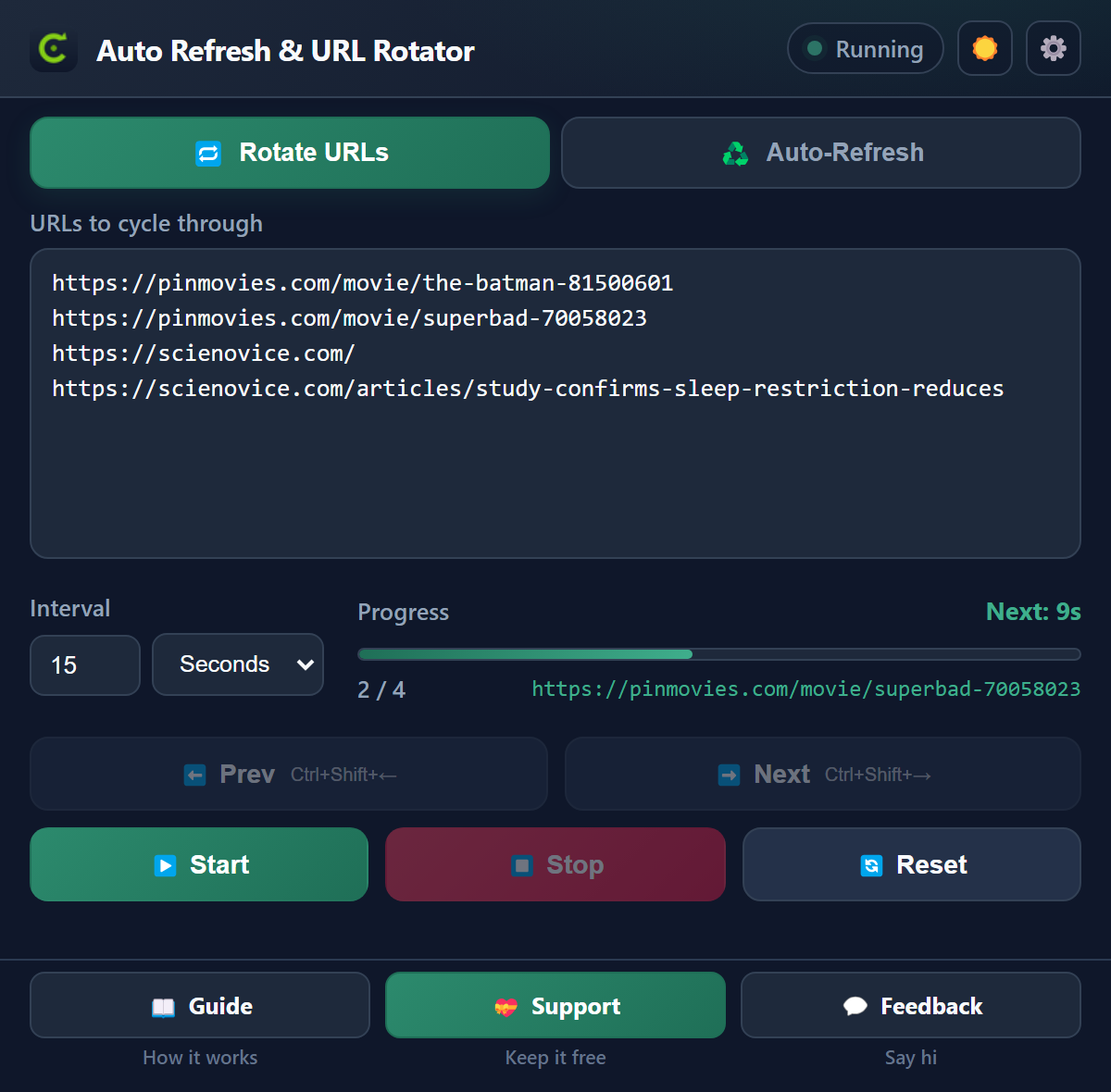
Rotate URLs mode — cycle a list of URLs in one reused tab
🔁 Rotate URLsCycle a list, one by one
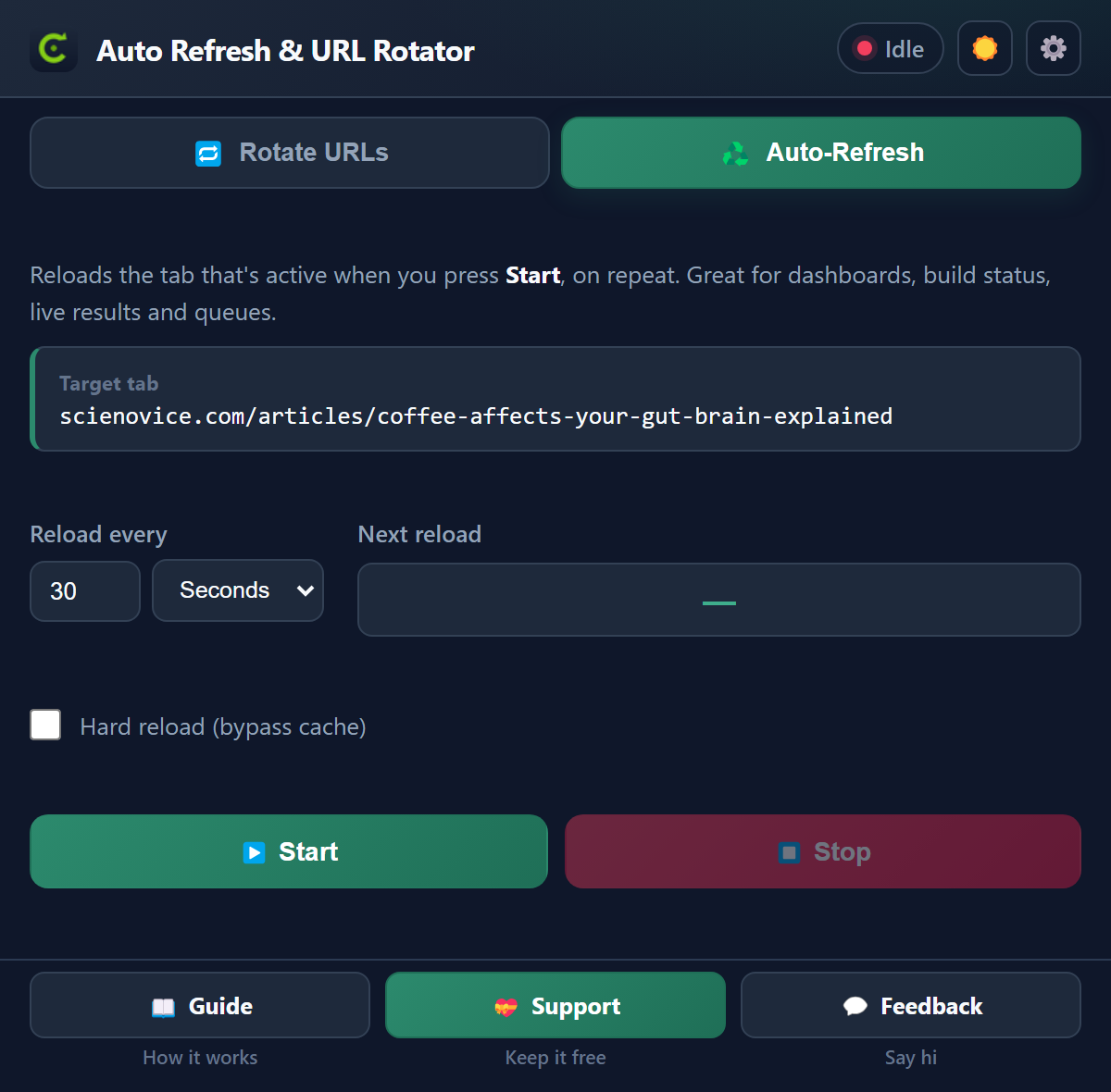
Auto-Refresh mode — reload one tab on a timer
♻️ Auto-RefreshReload one tab on a timer

Two modes, that's it

Designed to do two jobs really well — nothing you have to learn.

♻️

Auto-refresh a tab

Reload one page every N seconds or minutes — dashboards, build status, live scores, queues. Even with the popup closed.

🔁

Cycle URL lists

Open a list of pages one by one in a single reused tab. Great for QA passes and link checks. Loop optional.

⏱️

Background countdown

The toolbar badge shows a live countdown to the next reload, so you always know where it's at.

🧊

Hard reload option

Bypass the cache to pull a genuinely fresh copy — handy for CDNs and changing dashboards.

⌨️

Keyboard shortcuts

Step through your list manually with Ctrl+Shift+← / whenever you want.

🔒

Private by design

No servers, no analytics, no tracking. Your URLs and settings stay in your browser only.
Up and running in 3 steps

No account, no setup screen, no learning curve.

1

Pick a mode

Open the popup and choose Auto-Refresh or Rotate URLs at the top.

2

Set the timer

Auto-Refresh: pick how often to reload. Rotate: paste your URLs and set the gap between them.

3

Press Start

Close the popup if you like — the badge counts down to the next reload. Press Stop anytime.

FAQ

Anything else? Email [email protected].

Is it really free?

Yes — free and ad-free, with no subscription. If it saves you time, a small tip is appreciated but never required.

Does it keep refreshing when the popup is closed?

Yes. The timer runs in the background service worker, so you can close the popup and switch tabs. The toolbar badge shows the live countdown.

Which tab does Auto-Refresh reload?

The tab that was active when you pressed Start. It keeps reloading that one. If you close that tab, refreshing stops automatically.

What's "hard reload"?

A normal reload can serve cached files. Hard reload forces Chrome to re-fetch everything from the server.

Do you collect my data?

No. There are no servers and no analytics. Your URLs and settings are stored locally via chrome.storage.local. See the privacy policy.

☕ Like it? Keep it alive

A coffee keeps Auto Refresh & URL Rotator maintained and free for everyone. No pressure, ever.